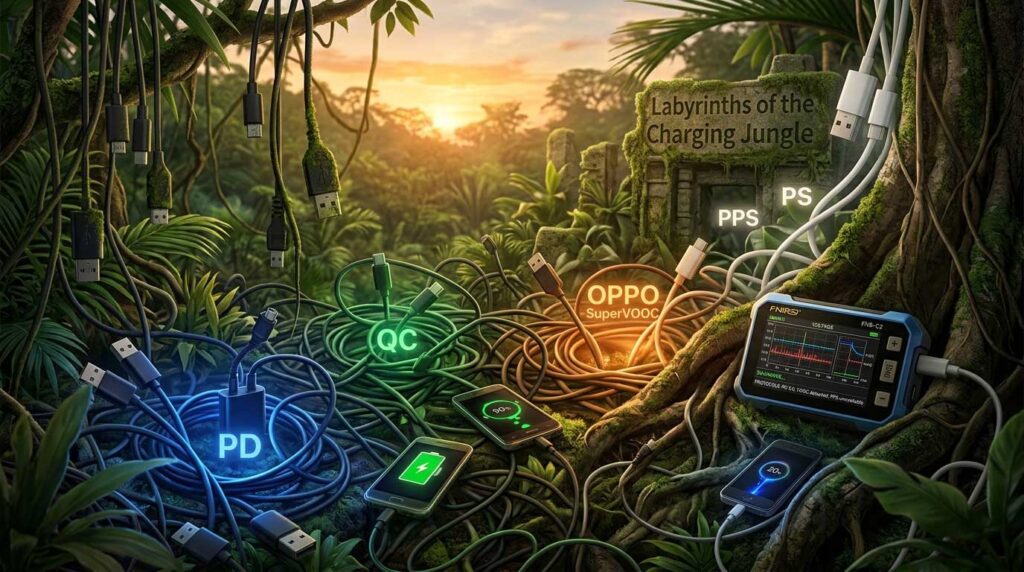
Wandering through the jungle of fast charging protocols: Why „powerful“ is not always „fast“.
Once upon a time there were two wires and the most difficult part of charging was not to confuse plus with minus. Charging batteries today has nothing to do with that – along with plus and minus, there is a continuous conversation between the device being charged and the charging device. And this conversation, on top of everything, takes place in different languages, the so-called protocols.
And even before we get to this conversation, the hardware must be fully compatible: we use different chargers, cables, adapters from one standard to another… And even if we match everything, it may turn out that the charger provides the necessary protocol, but does not provide the full range of voltage and current for the most efficient charging. There are electronics in the cables themselves, some even have their own firmware that can be updated.
The wandering through the jungle of protocols for fast charging begins.
Cables are not what they used to be.
Of course, most users don’t care about this. For them, there are „branded“ chargers and cables, and „counterfeits“. They are willing to pay many times more for original chargers, thereby compensating for their ignorance. If you are one of these people, this article is not for you.
In fact, there are almost no counterfeits on the market
Hardware usually has a description, and it is true. The fact that someone does not understand what is written in the description does not make the hardware a „counterfeit“. A large part of users do not read what is written about the devices at all – be it cables, chargers or adapters. Yes, some manufacturers use marketing tricks to sell their products, but this does not make them guilty, nor their products – counterfeit.
Never forget that when you point your finger at someone, three other fingers are pointing at you! If you think the same way, I recommend that you continue reading and I hope that this reading will be useful to you, as I plan to try to explain everything simply, so that even I can understand it! 😉
Let’s start with the cable
Plus and minus are no longer enough. You need at least two more, and for Type-C four more wires – D+, D- and CC1, CC2 (and let’s not forget one more – a common ground for everyone).
- D+ (Data Plus) and D- (Data Minus): These are the data signal lines in the old, classic USB standard (USB 2.0).
- CC1 (Configuration Channel 1) and CC2 (Configuration Channel 2): These are the configuration channels that are specific and critical only for the USB Type-C connector.
A detailed explanation of each of them:
A) The D+ and D- (Data Lines) pair
These lines were created to transfer data (for example, from a flash drive to a computer). However, in the pre-USB-C era, engineers found a way to use them for fast charging.
- How they work to charge: When you connect your old phone to a charger, they „negotiate“ for power using the voltage on these two lines. For example, if the charger outputs 3.3V on D+ and 0.6V on D-, the phone “knows” that it is a QC3.0 charger and can request 9V or 12V.
- Protocols that use D+ / D-:
- BC1.2 (CDP): The oldest charging standard.
- APPLE: Apple uses specific resistors on D+ and D- to indicate whether the charger is 5W, 10W or 12W.
- Qualcomm Quick Charge (QC) 2.0 and 3.0: Rely entirely on the voltage levels on D+ and D-.
- Samsung AFC: Same as QC2.0.
- Huawei FCP: Uses a digital signal on the date lines.
- OPPO/OnePlus/Realme (old versions VOOC / DASH / WARP): Uses a proprietary protocol on D+ and D-, which requires an original cable.
B) The CC1 and CC2 pair (Configuration Channels)
This is the innovation in USB Type-C. These pins are the reason why USB-C is so smart and can be plugged in from both sides (reversible).
- How they work:
- Orientation detection: When you plug in a USB-C cable, the charger measures which of the two CC pins is connected. This way it understands which side is “up” and which is “down” so it knows where to supply power.
- Role detection: They allow the device to know whether it is plugged into a charger (Host) or another device (Peripheral).
- USB Power Delivery (PD): This is where all the magic happens. The PD protocol doesn’t use the old data lines (D+/D-). Instead, it sends a digital code on the active CC pin (the other one is left for powering „active“ cables). Through this code, the charger and the phone talk to negotiate high voltage and high current (e.g. 20V @ 5A for laptops).
- Protocols that use CC lines:
- USB Power Delivery (PD) 2.0 / 3.0 / 3.1: Fully digital signals on the CC line.
- PPS (Programmable Power Supply): As part of PD.
- Qualcomm Quick Charge 4.0 / 5.0: Since these standards are compatible with PD, they also use the CC line.
- Chinese fast protocols (Huawei SuperCharge, OPPO VOOC) in modern USB-C versions: Some of them also use CC to recognize the original cable or for compatibility with PD.
The difference between BC1.2 DCP and CDP
The BC1.2 (Battery Charging 1.2) protocol can be either DCP or CDP. Here’s what it means. There is a significant difference between DCP and CDP, but the commonality is that both allow charging with a higher current than the standard USB 2.0 (which is only 500mA).
DCP (Dedicated Charging Port)
A port that is designed solely for power. It does not have digital logic to transfer photos or files.
- How it works: To tell the phone that it is a powerful charger, it simply „shorts“ the two data lines (D+ and D-) inside the port itself. When the phone „senses“ that D+ and D- are connected together, it knows that this is a DCP and can safely draw up to 1.5A of current at 5V.
- When it works: When you use devices that plug directly into a wall outlet or car cigarette lighter (old adapters, old and not so old power banks).
CDP (Charging Downstream Port)
A much „smarter“ port. It allows your device (e.g. phone) to simultaneously charge quickly and be recognized by your computer as a data device (for file transfers, ADB debugging, etc.).
- How it works: The CDP contains specialized electronics. When you connect your phone, this port uses a complex series of signals on the data lines (D+/D-) to tell your phone, “I’m a USB data port, but I also have a powerful power supply. You can draw up to 1.5A while we talk.”
- When it works: When you’re testing the USB ports on a modern computer or an expensive docking station.
When the cable is smart: the E-Marker chip
I mentioned that some cables have a chip embedded in them. This is most often a microscopic chip embedded in one or both connectors of a USB Type-C to Type-C cable, and is called an E-Marker (Electronic Marker).
The E-marker can be likened to an “electronic ID” for the cable.
- What it is for: In the standard USB PD (Power Delivery) protocol without E-Marker, the charger is not allowed to deliver more than 3A of current (i.e. a maximum of 60W at 20V), so as not to overheat and ignite a thin or cheap cable.
- How it works: However, when the charger and the phone „talk“, they „ask“ the cable: „What are you?“.
- If the cable has an E-Marker, it responds digitally on the CC line: „I am a certified cable, I can withstand 5A of current and support USB 3.2 data.“
- Then the charger safely activates profiles from 60W to 100W (and even 240W in PD 3.1).
What about VOOC/SuperVOOC cables?
Some cables do not need E-Marker (for example, those from OPPO/OnePlus/Realme, which work on SuperVOOC protocols). They have their own proprietary chips. Their approach is different – in them the voltage is low (5V or 10.5V), but the current is significant (up to 6A-12A) to achieve the desired charging power.
- Different standard: E-Marker is an open standard of USB-IF. SuperVOOC is privately owned by OPPO. If the charger uses the PD protocol to „knock on the door“, the OPPO chip will not respond. That’s why the FNIRSI tester will write to you: „No E-Marker Found“.
- Hidden Hardware/Software: In older USB-A to USB-C cables for VOOC, recognition is often done in a purely hardware way – an additional, proprietary pin inside the USB-A connector that the phone detects. In modern OPPO USB-C to USB-C cables there is a chip, but it uses proprietary cryptographic keys to identify itself to the phone as „original“.
The original OPPO cable has a chip, but the PD protocol cannot read the information inside it because it is locked.
The difference in approaches (20V/5A vs. 10V/10A)
- PD (Power Delivery): It uses high voltage (e.g. 20V) to transfer power. The chip (E-Marker) is needed to confirm that the cable can withstand high current (5A) so that it does not catch fire.
- SuperVOOC: It uses low voltage (5V or 10V) to transfer power, but with extremely high current (up to 6A-12A depending on the version). Here, the chip is not for voltage safety, but for authentication. OPPO wants to make sure that you are using their specific cable, which has thicker copper wires to transfer this high current without loss.
Most mass PD cables (without E-Marker), even if they are of good quality, cannot transfer 10-12A current at 5V-10V. The OPPO phone „knows“ this, „talks“ to the chip in the original cable and only then activates SuperVOOC. If the chip does not respond, the phone limits charging to the basic 5V/2A.
Systematizing the Jungle: A Table of Fast Charging Protocols
Here is my attempt to systematize the jungle in a table:
| Протокол | Собственик / Марки | Граници (U/I) и ватове | Описание, предимства и недостатъци |
BC1.2 / CDP |
USB-IF (Всички) | 5V @ до 1.5A (~7.5W) | Най-старият базов USB стандарт. CDP позволява едновременно зареждане и трансфер на данни. Бавен по съвременните стандарти, но гарантира базово ниво на съвместимост с почти всяко старовремско USB устройство. |
APPLE |
Apple | 5V @ 1.0A / 2.1A / 2.4A (до ~12W) | Специфично разпознаване по D+/D- линиите за по-стари Apple устройства (iPhone 7 и по-стари, iPads). Необходимо за зареждане с пълна скорост при използване на USB-A зарядни. |
PD 2.0 / 3.0 / 3.1(USB Power Delivery) |
USB-IF
(Apple, Samsung, Google, Лаптопи) |
PD 3.0: 5/9/15/20V @ 5A (100W)
PD 3.1: До 48V @ 5A (240W) |
Световният стандарт за бързо зареждане през USB Type-C. Използва фиксирани профили на напрежение. Единственият позволен в ЕС. Универсален и изключително безопасен. |
PPS(Programmable Power Supply) |
Допълнение към PD 3.0
(Samsung, Google, Xiaomi) |
3.3V–21V @ 3A / 5A (до 100W) | Позволява на телефона плавно да изисква от зарядното малки промени в напрежението (на стъпки от 20mV), за да намали топлината. Критичен за 25W/45W на Samsung. |
QC4.0 / QC5.0(Quick Charge) |
Qualcomm
(Xiaomi, ASUS, Motorola, Sony) |
QC4.0: Обединява QC3.0 + PD/PPS
QC5.0: 20V+ @ 5A (100W+) |
От QC4.0 насам Qualcomm направи стандарта си съвместим с USB PD/PPS. Висока мощност и съвместимост. Може да зарежда и лаптопи. |
UFCS(Universal Fast Charging Spec) |
China Alliance
(Huawei, OPPO, vivo, Xiaomi) |
Smoothly variable (similar to PPS), up to 100W+ | A new Chinese national standard to unify various proprietary protocols. It is just starting to enter the market and is still rare outside of China. |
AFC |
Samsung | 9V @ 1.67A / 12V @ 2.1A (up to ~25W) | Adaptive Fast Charging. Based on the old QC2.0. It is used in older phones and USB-A ports on new chargers. No longer relevant for flagships. |
FCP / SCP / VFCP |
Huawei / Honor | FCP: 9V @ 2A (18W)
SCP: 4.5V@5A / 10V@4A (up to 40W) VFCP: to 100W |
FCP is the older one (high voltage), SCP is the new one (high current). Extremely fast and efficient for Huawei phones in their ecosystem. |
QC2.0 / QC3.0(Quick Charge) |
Qualcomm
(All with Snapdragon SoC) |
QC2.0: 5/9/12V
QC3.0: 3.6V–20V (200mV steps) |
The legendary first mass standards. Supported by thousands of accessories. They are now obsolete and slow (typically 18W–24W for phones). |
VOOC / SuperVOOCDASH / WARP / SVOOC |
OPPO Alliance
(OPPO, OnePlus, Realme, vivo) |
VOOC: 5V @ 4A / 10V @ 6.5A
SuperVOOC: 10V @ 12.5A / 20V @ 12A (up to 240W) |
Their philosophy is: very low voltage / extremely high current. They require absolutely their own thick Type-C cable (green/red pins). Not compatible with PD without special schemes. |
MTK / PE+1.1 / PE+2.0 |
MediaTek
(Various budget Android) |
PE+1.1: 5/7/9/12V @ 1.5A
PE+2.0: 5V–20V (steps from 0.5V) |
Pump Express. Qualcomm’s competitor from MediaTek. A rarity outside of very cheap Chinese phones. An unpromising standard. |
Conclusion
Please be lenient if there is a mistake somewhere – the jungle is a jungle for me too, although I am already quite successfully navigating. I will be happy to receive any constructive comments and additions – the comments are at your disposal!
Sources and useful information about the article
-
USB Implementers Forum (USB-IF):
-
Official technical specifications for USB Power Delivery (PD) 3.1, USB Type-C® Cable and Connector and Battery Charging (BC1.2) standards.
-
URL:
https://www.usb.org/documents
-
-
Qualcomm Technologies, Inc.:
-
Technical information and overview of Quick Charge (QC) technology generations: QC 2.0, 3.0, 4, 4+ and QC 5.
-
URL:
https://www.qualcomm.com/products/features/quick-charge
-
-
OPPO Global:
-
Official information about the patented VOOC and SuperVOOC fast charging technologies also used by the OnePlus brands and Realme.
-
URL:
https://www.oppo.com/en/newsroom/press/oppo-supervooc-flash-charge/
-
-
Samsung Electronics:
-
Adaptive Support Information Fast Charging (AFC) in older models and the implementation of universal PD/PPS standards in new devices.
-
URL:
https://www.samsung.com/global/galaxy/what-is-fast-charging/
-
-
Huawei Consumer BG:
-
Details of Huawei FastCharge Protocol (FCP) and SuperCharge Protocol (SCP) technologies.
-
URL:
https://consumer.huawei.com/en/support/content/en-us00693997/
-
-
MediaTek Inc.:
-
Technical overview of the MediaTek Pump Express (PE) standard.
-
URL:
https://www.mediatek.com/features/pump-express
-
-
FNIRSI Technology Co., Ltd.:
-
User manuals and specifications of the FNB58 and FNB-C2 USB testers used for diagnostics of the described protocols.
-
URL:
https://www.fnirsi.com/download
-